
CUSTOM DOT ACTIVITIES FOR KIDS
Dot Marker Printable Generator
Use the dot marker printable generator to turn one animal, object or counting idea into a fill-the-circle activity. The dot marker page maker offers large marker targets and smaller Q-tip patterns. Review circle size, spacing and any important quantities before unlocking a printable PNG.
Two dot stylesLarge targets or Q-tip outlinesEditable ideaSubject, count and dot typePrint readyA4 or US Letter
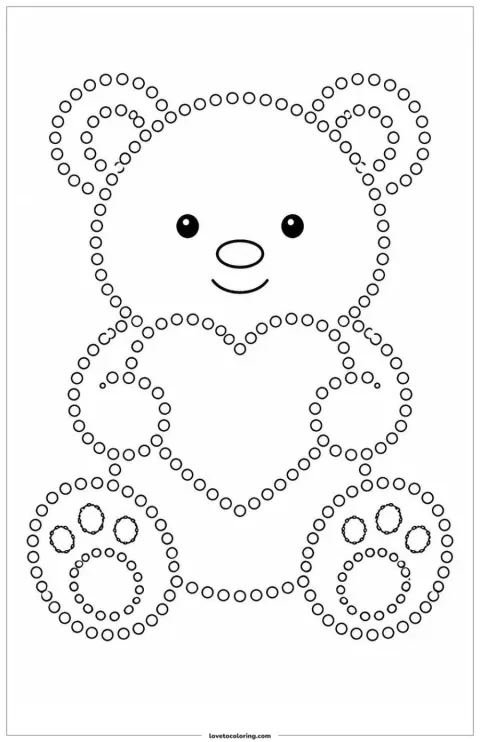 AI-generated line art
“A friendly teddy bear made from small Q-tip painting circles.”
Q-tip OutlinePortraitPrintable PNG
Describe the Dot Activity You Want to Print
Name one clear subject and any exact count that matters. Then choose large marker dots, a simple Q-tip outline or a more detailed Q-tip pattern.
Describe your dot marker or Q-tip painting page
Choose an idea for this page
Dot activity type
Choose the tool and level of detailPage shape
Image clarity
Checking access…
Coloring Page Examples
EXAMPLE RESULT
Teddy Bear Q-Tip Painting
Recent creations
Your recent coloring pages will appear here.
View allMake a Coloring Page from a Photo
Have a photo instead of an idea? Turn a portrait, pet or family photo into printable line art.
Upload a photo Your photo
 Coloring page
START WITH A REAL PRINTABLE
6 Printable Dot Marker and Q-Tip Examples
Browse six finished activity styles with large marker targets, Q-tip outlines, symmetrical patterns and simple counting pages.

Butterfly Dot Pattern

Elephant Large Dots

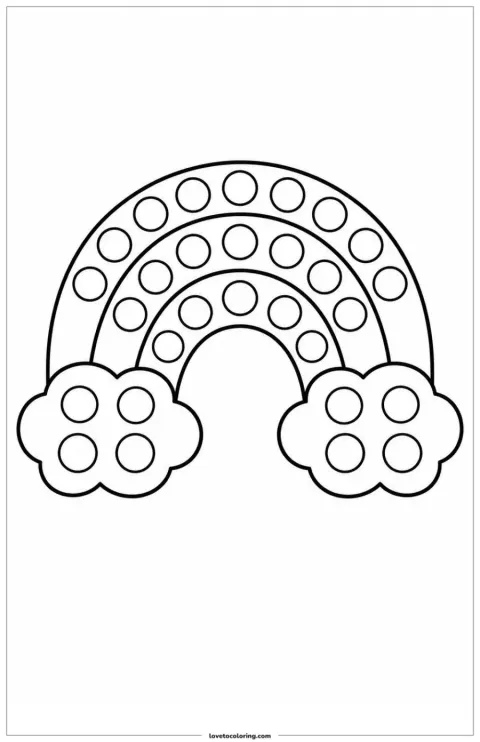
Rainbow Dot Rows

Dinosaur Q-Tip Painting

Count Five Apples
WRITE A CLEAR PROMPT
How to Describe a Useful Dot Activity
Give the dot marker printable generator one recognizable subject and the painting tool you plan to use. In the dot marker page maker, add only quantities or details that matter to the activity; a simpler background leaves the targets easier to inspect.
“A friendly elephant with large dot-marker targets inside its ears and body.”
Use the dot marker page maker for a recognizable animal, object or seasonal symbol. Keep the Q-tip painting generator input focused on the silhouette you want.
Choose large targets in the dot marker printable generator for daubers, or use the Q-tip painting generator for smaller outlines. Test printed size with your actual tool.
Tell the dot marker page maker any exact quantity that matters. Count the actual dot marker printable generator output before using it as a teaching activity.
HOW IT WORKS
How to Create and Print a Custom Dot Marker Page
The dot marker printable generator uses the existing preview and unlock workflow. Choose a circle style in the dot marker page maker, then inspect and test-print the actual result before preparing paint, markers or stickers.
- 01
Describe a recognizable subject
Use the dot marker printable generator for one animal, object or counting set. In the dot marker page maker, state the important count and avoid a busy background.
- 02
Choose the circle style
Choose Large Marker Dots in the dot marker page maker, or use the Q-tip painting generator with Q-tip Outline or Detailed Q-tip. Review the actual circles afterward.
- 03
Review, unlock and test-print
Check the dot marker printable generator preview for separate hollow targets. Unlock a suitable dot marker page maker result, download the PNG and test scaling with your painting tool.
READY-MADE PRINTABLES
Prefer Ready-Made Dot Marker Coloring Pages?
Browse ready-made activities when one of the existing subjects fits your plan. Use the dot marker printable generator for a different idea, or the Q-tip painting generator when you want a different small-circle subject. Available pages and counts are shown in the collection.
A CLOSER LOOK AT THE RESULT
What Can the Dot Marker Printable Generator Help You Make?
Use the dot marker printable generator to choose a subject and circle style for your activity. The dot marker page maker prepares a preview; inspect the actual target sizes and spacing before deciding which painting tool to use.
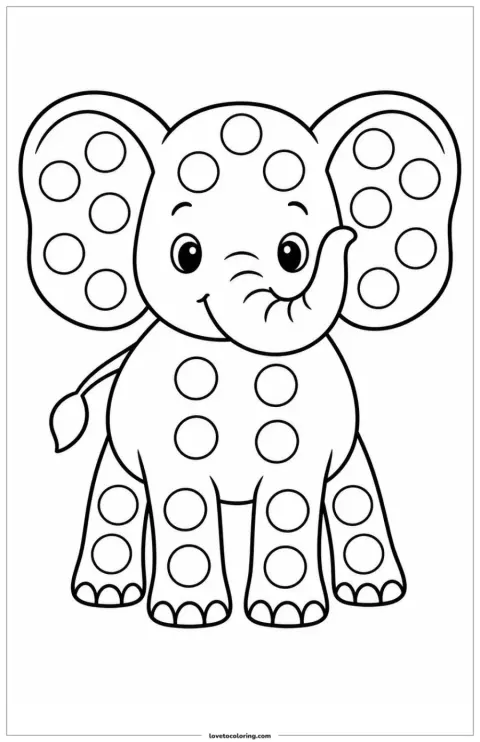
Choose broad targets for markers or stickers
Choose Large Marker Dots in the dot marker printable generator when broad targets fit your marker or sticker activity. The dot marker page maker uses your subject as the setting for those circles. Printed size still depends on the drawing and print scaling: test one target against your actual marker before preparing copies.
Try this approach →Follow a recognizable silhouette with small dabs
Use the Q-tip painting generator for small outline circles around a clear subject such as a teddy bear. The dot marker page maker can also guide a more detailed interior pattern. Check that circles remain separate and accessible to your cotton swab; this is a fill-the-circle activity, not numbered connect-the-dots.
Try this approach →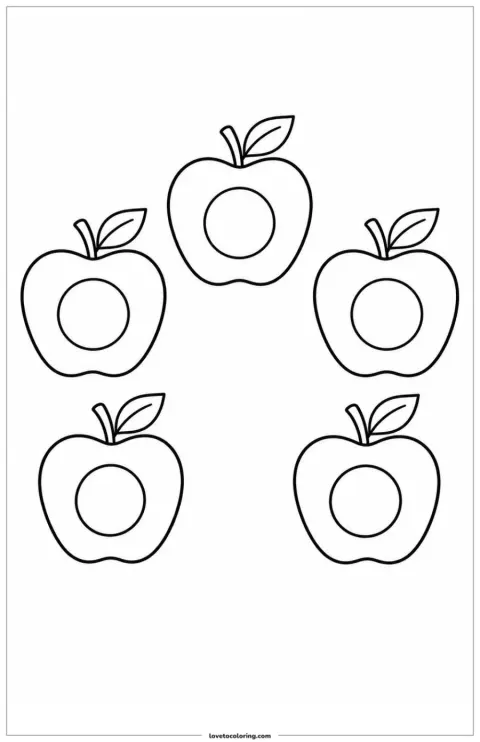
Check the count before using it in a lesson
Name the quantity you need in the dot marker printable generator, such as five apples with one target per apple. The dot marker page maker can interpret the idea, but an adult must count the actual objects and circles in the preview. Simplify and retry if the output does not match the task.
Try this approach →MAKE A PAGE FOR YOUR ACTIVITY
A Dot Activity for the Way Your Group Likes to Make
Use the dot marker page maker for a recognizable animal, a shared color activity or a simple counting task. The Q-tip painting generator provides another starting style when small cotton-swab dabs fit your plan.
AT THE KITCHEN TABLE
A first cotton-swab painting session
Use the Q-tip painting generator for a familiar animal. The dot marker page maker gives your child a visible path for a supervised painting activity.
- Plan around
- Test one printed circle
- Use it for
- Adult-supervised painting
Activity planning notes
Choose a familiar teddy bear in the Q-tip painting generator and set out a small amount of paint. Use the dot marker page maker preview to check spacing, then test-print an unlocked result. Demonstrate one dab on scrap paper and let the child choose their colors.
A SMALL CLASSROOM TASK
Five objects to count and mark
Use the dot marker printable generator for a countable set. In the dot marker page maker, inspect every object before making it part of a lesson.
- Plan around
- Count objects and targets separately
- Use it for
- One-to-one marking
Activity planning notes
Describe exactly five apples with one target in each in the dot marker page maker. Inspect the dot marker printable generator output and count both the apples and circles yourself. After unlocking and test-printing, count aloud together; give any numerals or instructions separately.
MARK WITHOUT PAINT
A low-mess sticker alternative
Choose large targets in the dot marker page maker for a sticker activity. The dot marker printable generator lets you begin with a subject the child recognizes.
- Plan around
- Match sticker size after printing
- Use it for
- A supervised sticking activity
Activity planning notes
Use the dot marker printable generator for a broad elephant with separated targets. Print an unlocked result from the dot marker page maker and compare a real sticker with a target before starting. Provide stickers appropriate for the child and keep small materials under adult supervision.
A GROUP COLOR ACTIVITY
A shared rainbow of color choices
Use the dot marker page maker for a rainbow with clear rows. The dot marker printable generator can give everyone the same starting idea and different color choices.
- Plan around
- Review the number of bands
- Use it for
- Compare finished color patterns
Activity planning notes
Describe a simple three-band rainbow in the dot marker printable generator. Check that the dot marker page maker result has clear rows before unlocking a printable. Give each person a test-printed copy and compare their color sequences without expecting every new generation to repeat this example.
ONE INPUT · A PRACTICAL PLAN
Start with a Project You Can Make Your Own
These plans use existing examples to explain a possible activity. Start with the dot marker printable generator, then review the dot marker page maker result before unlocking and test-printing it.
01SMALL OUTLINE CIRCLESStart this project
Plan a teddy-bear dab painting page
YOUR STARTING INPUT
“A friendly teddy bear outlined with small hollow Q-tip painting circles”
Describe the subject
Enter a teddy bear in the Q-tip painting generator and choose Q-tip Outline.
Check the targets
Review the dot marker page maker preview for separated circles and room for a cotton swab.
Unlock and test-print
Unlock your chosen PNG, test one circle and prepare paint with adult supervision.
More project notes
Use the Q-tip painting generator for one familiar bear rather than a crowded scene. The dot marker page maker gives you a preview to inspect for circle separation. Choose an unlocked print you can use, test the paint tool and let the child decide the colors.
02LARGE MARKER TARGETSStart this project
Plan a three-band rainbow activity
YOUR STARTING INPUT
“A three-band rainbow with large hollow dot-marker targets and two clouds”
Set one clear idea
Use the dot marker printable generator for a three-band rainbow with large targets.
Inspect rows and size
Check the dot marker page maker preview for readable rows; printed size must suit your actual marker.
Print and compare colors
Unlock and test-print the PNG, then try one color per row or a repeating sequence.
More project notes
The dot marker printable generator starts from your rainbow description. Use the dot marker page maker to inspect the resulting rows and hollow circles rather than relying on a fixed target diameter. After a successful test print, make the activity about comparing colors or simple sequences.
03ONE TARGET PER OBJECTStart this project
Plan a count-five apple sheet
YOUR STARTING INPUT
“Exactly five apples with one large hollow dot-marker target inside each apple”
State the quantity
Use the dot marker page maker for exactly five apples, each with one target.
Count the actual output
Inspect the dot marker printable generator preview and count every fruit and circle.
Test before the lesson
Unlock a suitable result and test-print it before preparing your marking materials.
More project notes
Use the dot marker printable generator for a visible set of five objects. Check the dot marker page maker result before turning it into a counting activity: the exact quantity is a review requirement, not a guaranteed AI outcome. Keep the spoken or written lesson instructions separate.
Dot Marker Printable Generator FAQ
What does the dot marker printable generator create?
It creates fill-the-circle activity pages. Use the dot marker page maker for broad marker targets or the Q-tip painting generator for smaller outline circles, then inspect the preview before printing.
Is this a numbered connect-the-dots tool?
No. The dot marker printable generator makes circles to fill with paint, markers or stickers. The dot marker page maker does not turn them into a numbered point-joining puzzle.
Which style works with a cotton swab?
Start with Q-tip Outline in the Q-tip painting generator for small circles following a silhouette. Review the dot marker page maker result and test a printed target with the swab you plan to use.
Which style should I use for bingo daubers?
Choose Large Marker Dots in the dot marker page maker. Use the dot marker printable generator preview to inspect spacing, then compare one printed target with your dauber; no fixed physical target diameter is promised.
Will an exact requested quantity always be correct?
No. Count the objects and circles in the dot marker printable generator preview yourself. The dot marker page maker may need a simpler description or another attempt before its output fits a counting lesson.
How do I download and print my activity?
Unlock the dot marker printable generator result before downloading its PNG. The dot marker page maker uses the existing download and print flow; test one copy and check margins and circle size before an activity.
Make a Dot Activity Around a Subject Your Child Knows
Start with the dot marker printable generator for large targets, or the Q-tip painting generator for smaller circles. Review the actual drawing and test an unlocked print with your chosen materials.