ADD COLOR TO BLACK-AND-WHITE DRAWINGS

Colorizer for Coloring Pages & Line Art

Add color to a coloring page or black-and-white line drawing with our AI image colorizer. Let AI choose colors for your scene or pick from 12 coordinated palettes, then create a colored PNG reference. Use clean sketches, manga line art or mandalas—this tool is designed for drawings, not old-photo restoration.

Have a photo instead?
JPG, PNG or WebPUp to 10 MB12 curated palettesFree to browsePNG color referenceOriginal kept separately

Colorize Your Line Art Online

Upload a coloring page or choose an example, then let AI choose colors or select a curated palette.

CHOOSE A STARTING POINT

Choose or Create Line Art for the Colorizer

Create it from words, convert a photo, or choose a ready-made page before building a color reference.

Use Cases

Coloring Page and Line Art Colorizer Examples

Bring manga line art, clean sketches, coloring pages and worksheet illustrations to life with vivid color. Let AI choose a color direction, or use one of 12 curated palettes.

KIDS · COLORING PAGES

Colorize Kids’ Coloring Pages

Add color to a child’s coloring page before choosing crayons or pencils. This birthday dinosaur example turns black-and-white line art into a soft, cheerful color reference for the character, cake, balloons and decorations.

Palette: Pastel Palette

Pink, mint, sky blue and lavender give the birthday scene a gentle color direction.

Colorize your coloring page
Black-and-white birthday dinosaur coloring page with a cake and balloons
Before · Black-and-white line art
Birthday dinosaur drawing colored in pink, blue and other pastel tones
After · Pastel Palette
Pastel Palette
TEACHERS · PRINTABLE WORKSHEETS

Create Color References for Classroom Worksheets

Turn a black-and-white worksheet illustration into a colored example for your activity. This plant-growth drawing uses a triadic palette to distinguish plants, gardening tools and other parts of the scene.

Palette: Triadic Educational Palette

Blue, red and yellow guide the color direction, with green and orange accents in the garden.

Colorize your worksheet illustration
Uncolored plant-growth worksheet illustration with children and gardening details
Before · Black-and-white line art
Plant-growth illustration colored with a bright triadic palette
After · Triadic Educational Palette
Triadic Educational Palette
ADULTS · MANDALAS & DETAILED DRAWINGS

Explore Colors for Mandalas and Detailed Line Art

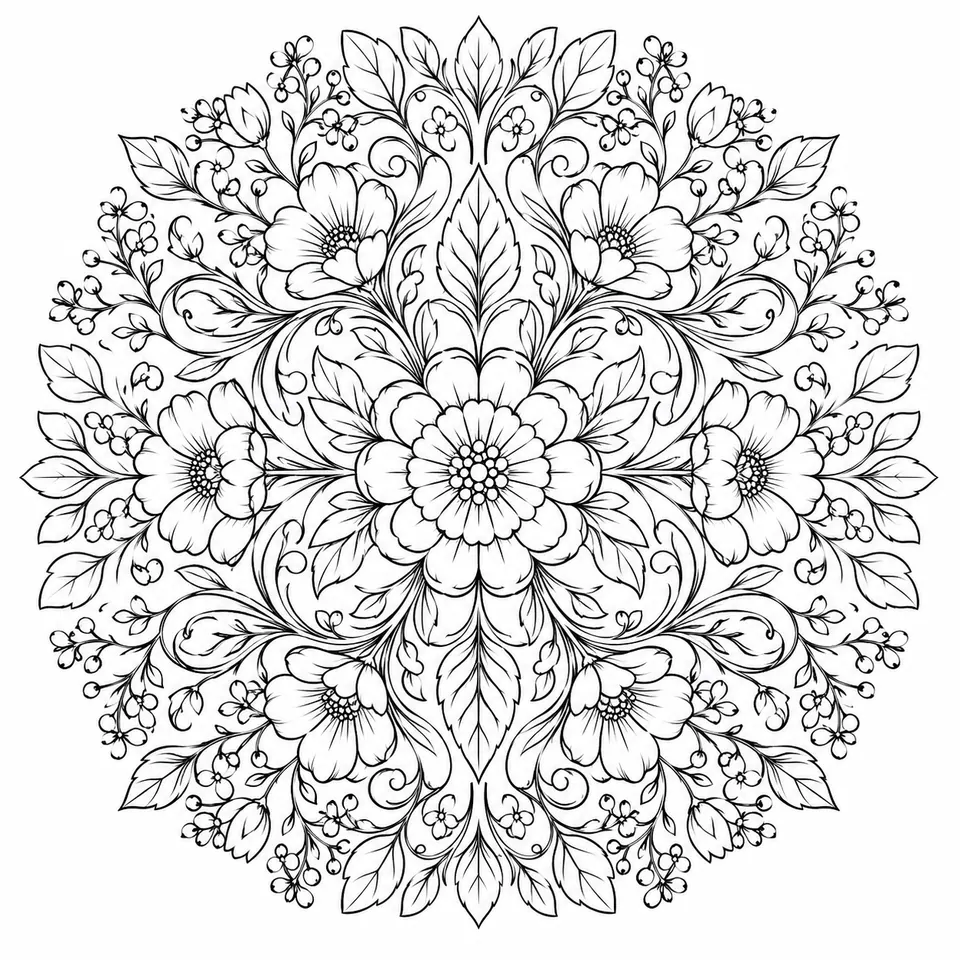
Try a coordinated color direction before starting a detailed design. This botanical mandala uses jewel tones across repeating flowers and shapes, while the original line art remains available separately.

Palette: Jewel Tone Palette

Emerald, purple, ruby and golden accents create a rich color reference for the repeating pattern.

Try this palette on your line art
Black-and-white botanical mandala with repeating flowers and leaves
Before · Black-and-white line art
Botanical mandala colored in deep green, purple and other jewel tones
After · Jewel Tone Palette
Jewel Tone Palette
MANGA · CHARACTER LINE ART

AI Manga Colorizer

Add color to black-and-white manga line art and anime-style character drawings. This greenhouse character example uses a pastel palette to bring soft colors to the clothing, plants and background.

Palette: Pastel Palette

Soft pink, blue and green create a gentle direction for the character and greenhouse.

Colorize your manga line art
Black-and-white manga drawing of a character holding a plant in a greenhouse
Before · Black-and-white line art
Manga greenhouse character colored with pink clothing, blue overalls and green plants
After · Pastel Palette
Pastel Palette
SKETCHES · CLEAN OUTLINE DRAWINGS

AI Sketch Colorizer

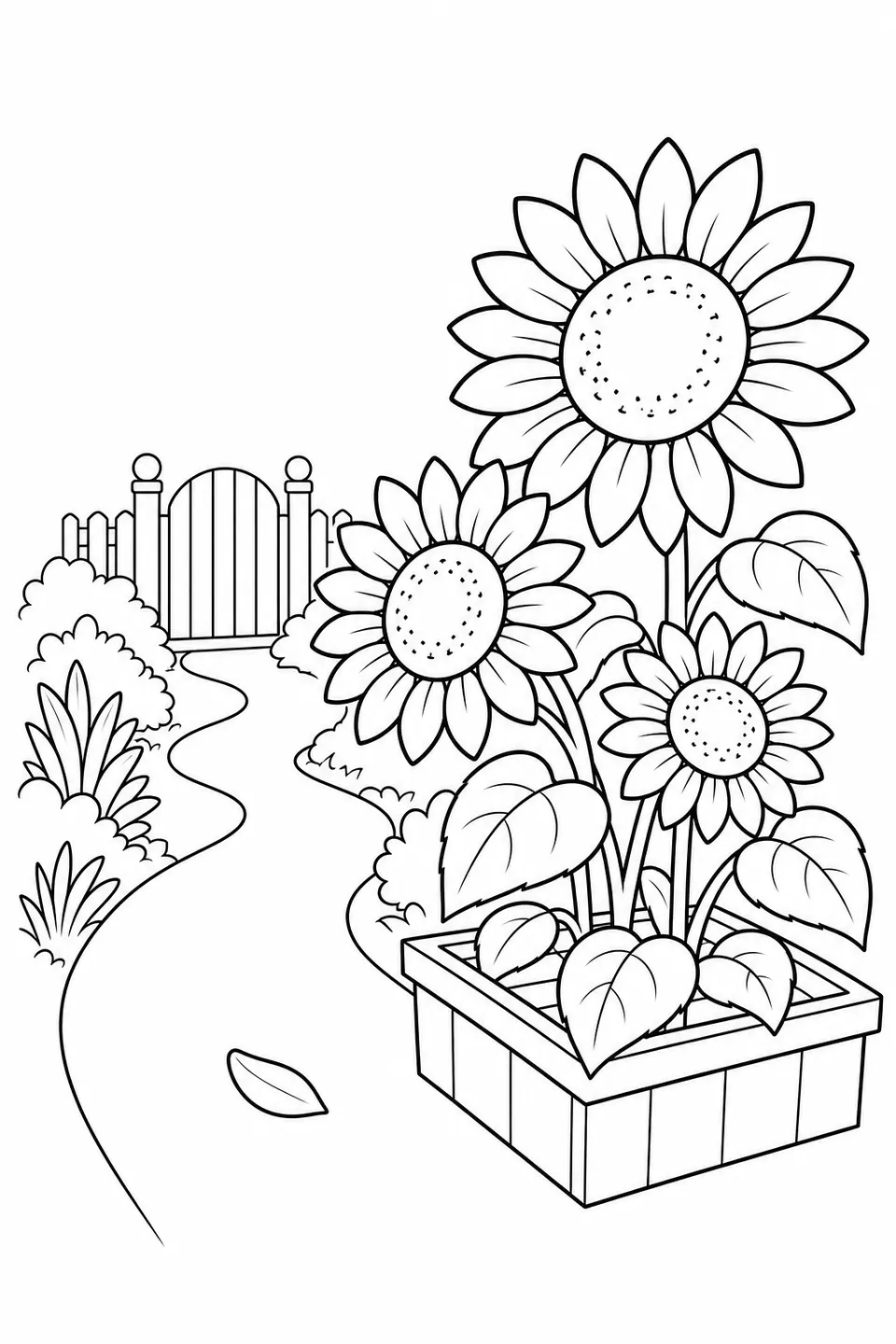
Turn clean outline sketches into full-color references. This sunflower garden drawing shows how color can distinguish petals, leaves and a winding path before you begin coloring your own artwork.

Palette: Warm Natural Palette

Golden flowers, leafy greens and warm earth colors give the garden a sunny feel.

Colorize your sketch
Black-and-white outline drawing of sunflowers beside a winding garden path
Before · Black-and-white line art
Sunflower garden drawing with yellow flowers, green leaves and a warm colored path
After · Warm Natural Palette
Warm Natural Palette
HOW THE AI LINE ART COLORIZER WORKS

How to Colorize Line Art Online

Turn a black-and-white drawing into a colored reference in three steps. Choose your palette before generating the result.

  1. 01

    Upload or Choose Your Line Art

    Upload a JPG, PNG or WebP drawing up to 10 MB, or sign in and select a drawing you previously generated with Love to Color from My Line Art in the tool above. Clear outlines on a white or light background work best.

  2. 02

    Choose a Color Palette

    Let AI choose colors for your drawing, or explore 12 coordinated palettes.

  3. 03

    Generate and Download

    Sign in, then use 5 credits to generate and download a Personal Finished Look. New accounts receive 5 welcome credits. 1K uses 2 credits, 2K uses 3 credits, and Finished Look uses 5 credits. They are valid for 30 days for Personal use only; 4K and commercial use are excluded.

Choose line art to start

Original stays separateNot published automaticallyPrivacy details

CHOOSE YOUR COLORS

AI Colors or 12 Palettes

By default, AI chooses colors for your drawing. Pick a palette for a specific look. Browsing examples is free.

PREVIEW
Complementary palette preview
PALETTE EXAMPLE

Complementary

Opposite colors for contrast

Sample images, not previews of your drawing.

Default: Let AI chooseAI picks colors to fit your drawing. No palette needed.
Use default
OR EXPLORE 12 PALETTESComplementary
WHY CHOOSE THIS COLORIZER?

An AI Line Art Colorizer with More Control over Color

Give your drawing a color direction before you start. Our AI colorizer combines automatic color placement with coordinated palette choices, so you can plan a finished look without selecting every color yourself.

01

Start with coordinated colors

Let AI choose colors for the scene, or pick one of 12 ready-made palettes. Your choice guides the generated image.

02

Plan your next coloring project

Use the colored image as a reference before working with crayons, pencils, markers or digital tools.

03

Keep your original line art

Your black-and-white drawing remains available separately. Compare it with the generated color reference whenever you plan your colors.

04

Download a colored PNG

A Personal Finished Look requires sign-in and 5 credits. New accounts receive 5 welcome credits. 1K uses 2 credits, 2K uses 3 credits, and Finished Look uses 5 credits. They are valid for 30 days for Personal use only; 4K and commercial use are excluded.

GET BETTER COLORIZATION RESULTS

What Images Work Best with This Colorizer?

Choose a coloring page or line drawing with clear outlines, a white or light background, and mostly enclosed areas. Heavy shading, faint lines and open boundaries can make the colored result less predictable.

Start with clear line art

Children’s coloring pages, worksheet illustrations and detailed mandalas work best when the shapes are easy to distinguish. Upload JPG, PNG or WebP files up to 10 MB.

Check faint or shaded drawings

Use a clear scan or evenly lit image. Strong shadows, paper texture and broken outlines can affect color placement. For worksheets, focus on the illustration rather than exact text reproduction.

LINE ART COLORIZER FAQ

AI Coloring Page Colorizer FAQ

Learn how to add color, choose a palette, download a colored PNG, and understand generation costs.

What is an AI coloring page colorizer?

An AI coloring page colorizer adds color to an existing black-and-white drawing. Upload a coloring page or clean line art, let AI choose colors or select a curated palette, and generate a colored PNG reference.

How do I colorize line art online?

Upload your JPG, PNG or WebP drawing, let AI choose colors or select one of 12 curated palettes, then sign in and use 5 credits. New accounts receive 5 welcome credits. 1K uses 2 credits, 2K uses 3 credits, and Finished Look uses 5 credits. They are valid for 30 days for Personal use only; 4K and commercial use are excluded.

Can I choose the colors for my drawing?

Yes. Choose from 12 coordinated palettes to guide the dominant colors, or let AI choose based on the subject and scene. This is not a brush or a tool for assigning an exact color to each region.

Is this AI colorizer free to use?

Palette browsing and generic examples are free. Personalized AI color requires sign-in and 5 credits. New accounts receive 5 welcome credits. 1K uses 2 credits, 2K uses 3 credits, and Finished Look uses 5 credits. They are valid for 30 days for Personal use only; 4K and commercial use are excluded.

What file types and sizes are supported?

Upload a JPG, PNG or WebP image up to 10 MB. Coloring pages, clean line drawings and worksheet illustrations with clear outlines on a light background work best.

What type of line art works best?

Use crisp outlines with mostly enclosed coloring regions and minimal shading. Faint lines, heavy texture or open boundaries can make the result less predictable. For worksheets, focus on the illustration; this tool is not designed to edit or preserve worksheet text exactly.

Will the AI change my original drawing?

Your uploaded original is kept separately from the generated image. The AI creates a new colored reference, so small details or lines in that result may differ; keeping the original does not mean every generated line is identical.

What are the 12 coloring-page palette styles?

Choose from six harmonies, three moods and three themes: Complementary, Analogous, Triadic, Split Complementary, Tetradic, Monochrome, Warm, Cool, Pastel, Earth Tones, Jewel Tones and Retro. The public palette examples show color directions, not free generated previews of your uploaded drawing.

Can I download and print the colored result?

Yes. After signing in and creating the result with 5 credits, you can download the colored PNG and use it as a guide. New accounts receive 5 welcome credits. 1K uses 2 credits, 2K uses 3 credits, and Finished Look uses 5 credits. They are valid for 30 days for Personal use only; 4K and commercial use are excluded. Your original drawing remains separate.

Can I use this tool to colorize old photos?

This tool is designed for coloring pages and clean line drawings, not restoring black-and-white photographs. If you want to turn a photo into outlines first, use Photo to Coloring Page, then bring that line art here to plan its colors.

Are my uploaded drawings made public?

No. Personal uploads are stored for processing but are not automatically published or added to the public coloring-page gallery.

Ready to Add Color to Your Drawing?

Bring your line art, choose a palette, and create a colored reference for your next project.

Woodland reading coloring page shown before and after adding color